

Find your way around a project
The project overview
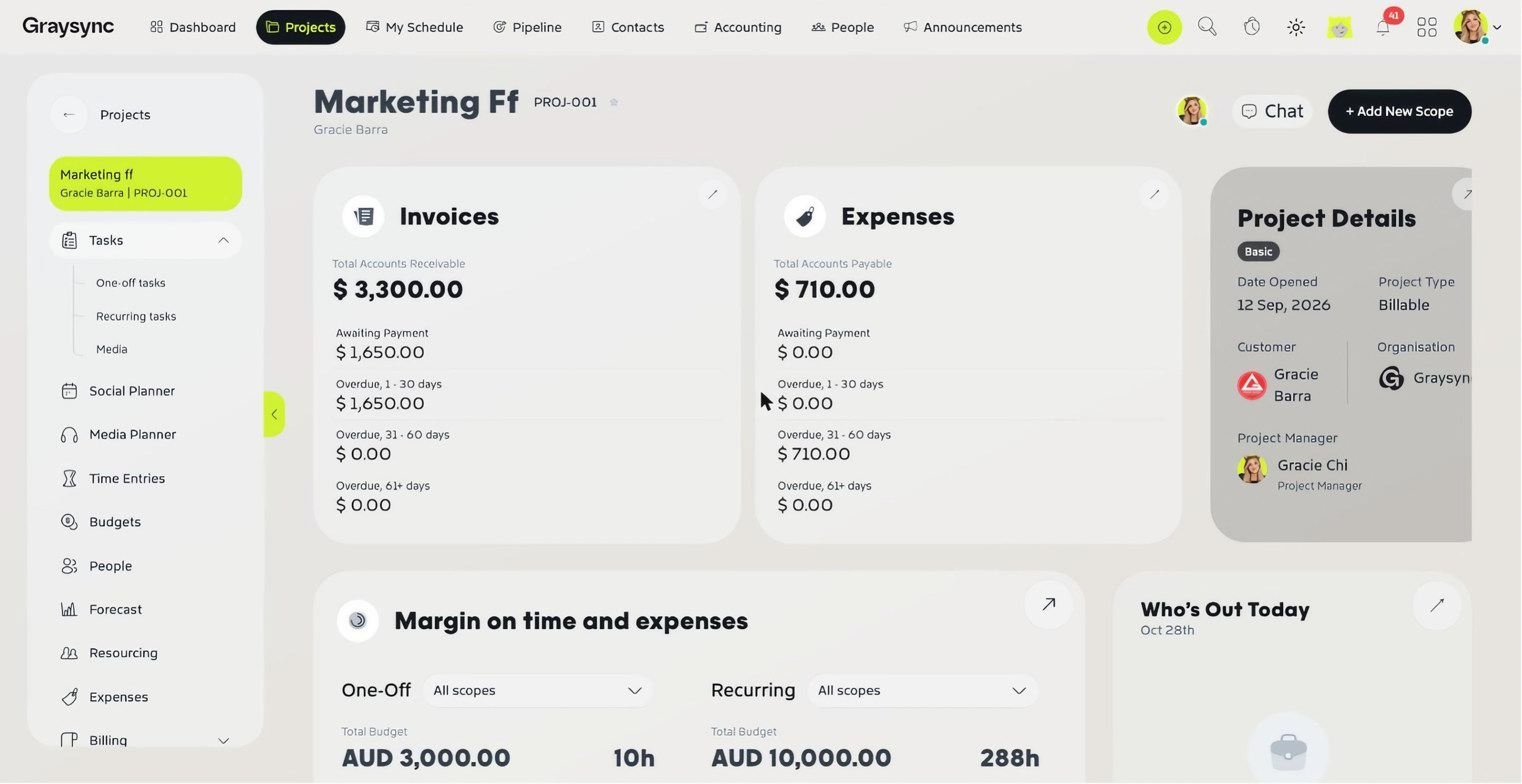
Open any project from the Projects list to see its overview. It brings together the project’s invoices and expenses, project details, margin on time and expenses (for one-off, recurring and media work), who’s out today, your daily tasks, Your Focus and the project’s Workstream.
Use + Add New Scope to add more work to the project, and Chat to talk with the project team.
Plan the work
- Tasks – One-off tasks, Recurring tasks and Media. See Work with one-off and recurring tasks.
- Social Planner – plan and approve social posts on a calendar. See Plan social content with the Social Planner.
- Media Planner – build the project’s media plans.
- Briefing – create briefs by category and scope, and track their status.
Track time and money
- Time Entries – every hour logged on the project, with its service, task, cost rate and total. See Track time on tasks.
- Budgets – allocated budget, budget used and remaining, worked and billable time, cost and current profit, with a breakdown for each scope.
- Forecast – budget, burn, remaining balance and invoiced versus uninvoiced amounts for each scope, month by month.
- Expenses and Billing – the project’s costs and invoices.
Plan your people
- People – who’s working on the project.
- Resourcing – resourced versus worked value by month, plus each member’s role, billable rate and future resourcing.
Keep everything together
- Scoping – the scopes and services that make up the project.
- Documents – scope PDFs, invoices and expense receipts are collected here automatically, and you can upload your own files.
- Feedback and Logs – feedback on the project and a record of what’s changed.
- Project Info – edit the project’s details, status and priority templates, access and description.