Manage your work in My Schedule and Ad-hoc Tasks
My Schedule
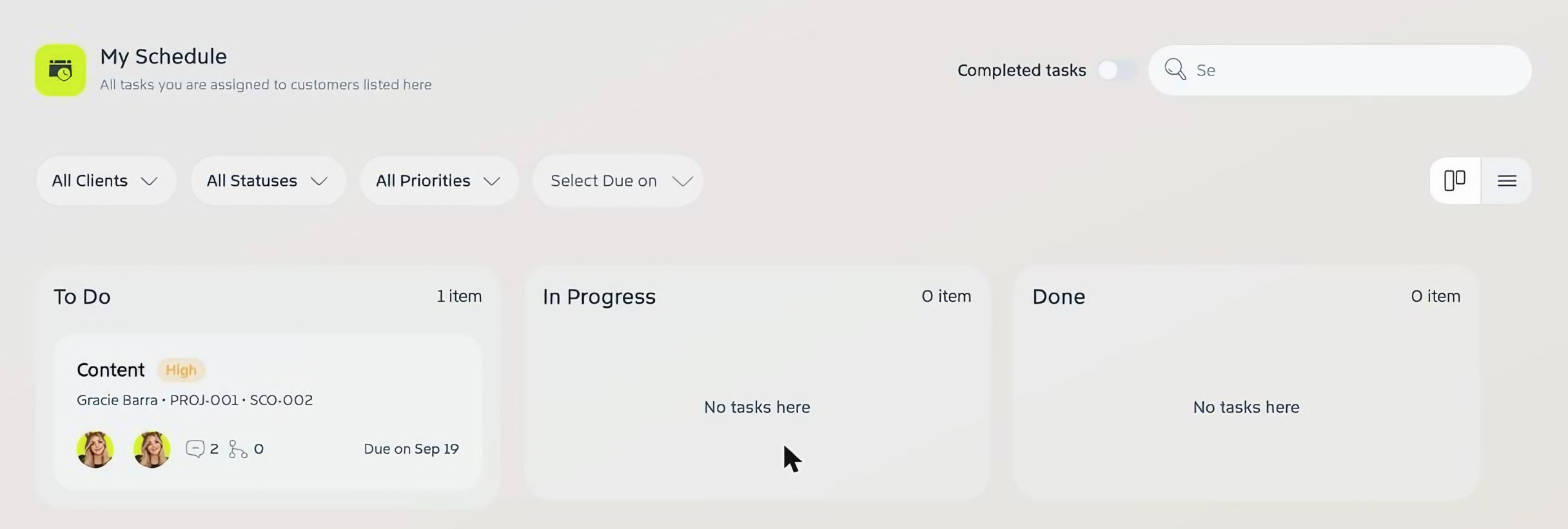
Go to My Schedule to see every task you’re assigned to, across all your projects, in To Do, In Progress and Done columns. Each card shows the task’s priority, customer, project and scope, assignees, comments and due date.
Filter by client, status, priority or due date, turn on Completed tasks to include finished work, and switch between board and list views with the icons on the right. Click a task to open it.
Ad-hoc Tasks
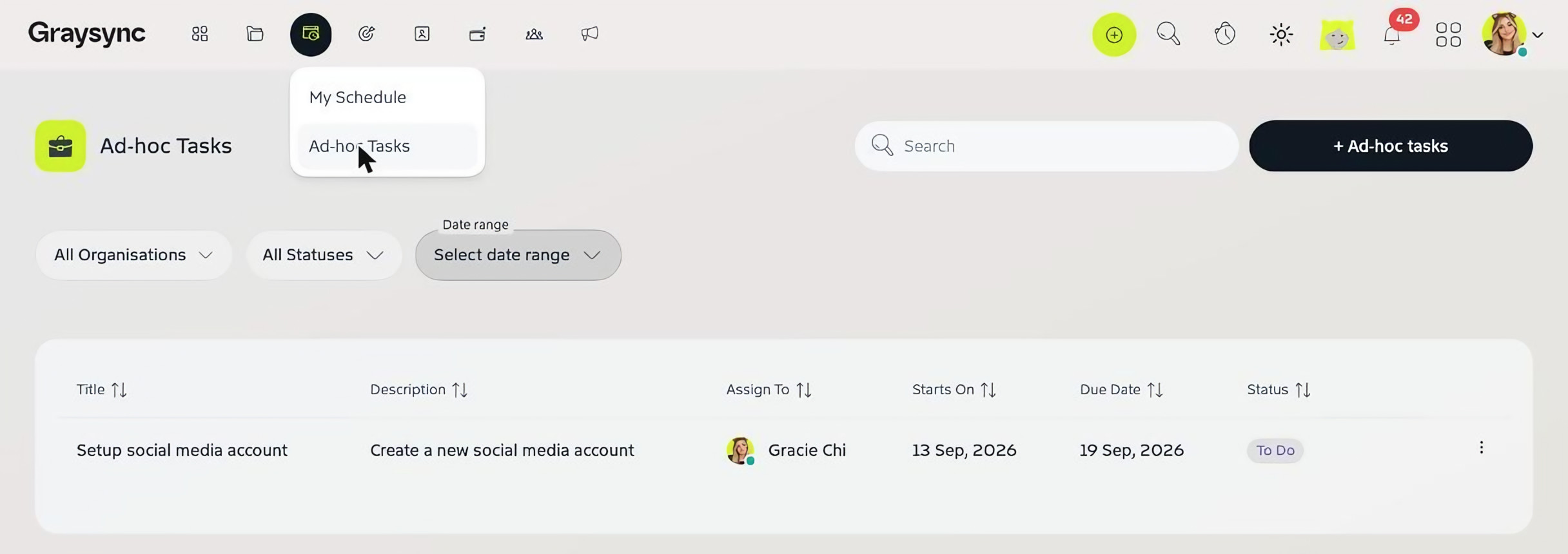
Some work doesn’t belong to a project, like setting up a new social media account. Open the My Schedule menu and choose Ad-hoc Tasks to see these tasks with their title, description, assignee, start date, due date and status. Filter by organisation, status or date range.
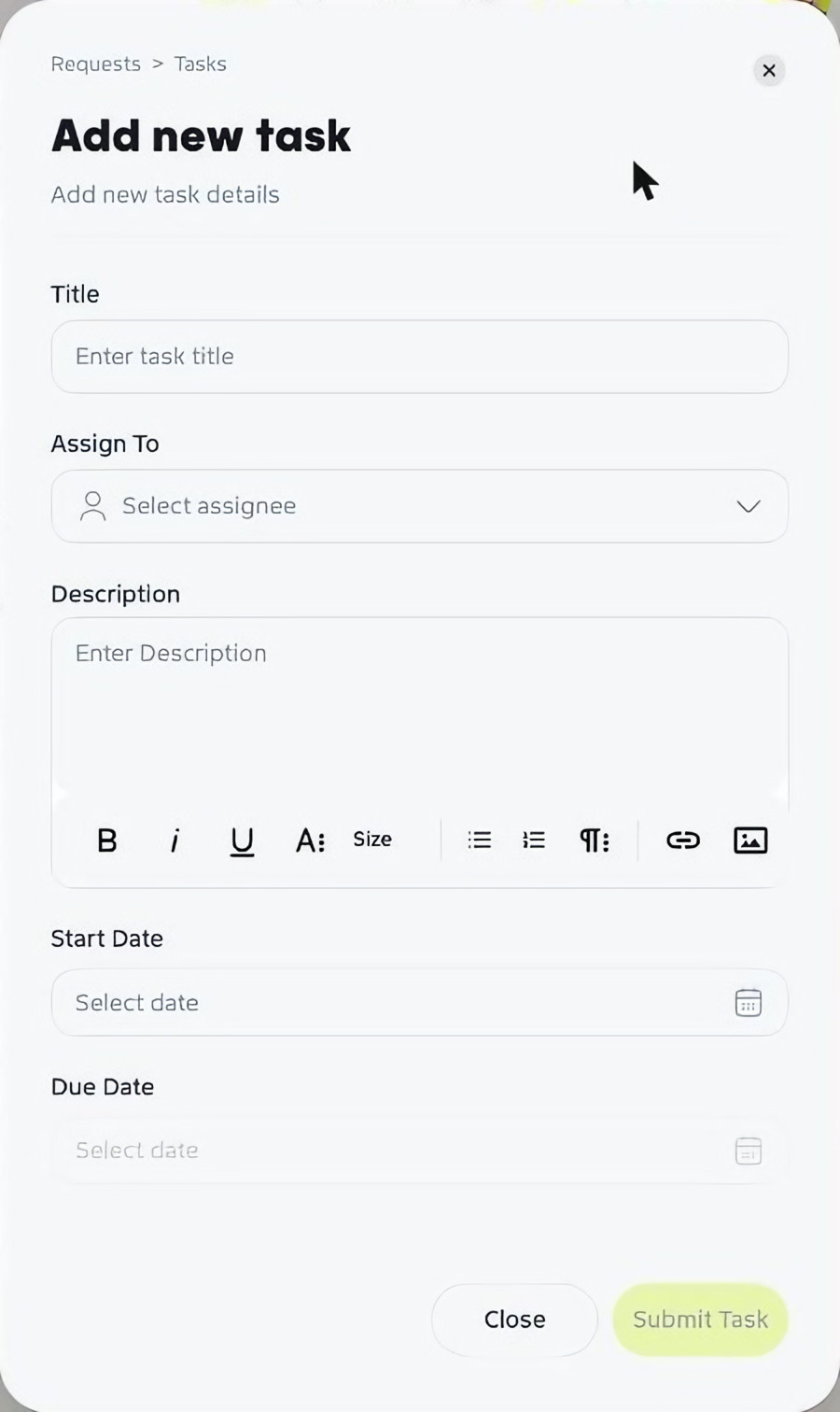
Add an ad-hoc task
- Click + Ad-hoc tasks.
- Enter a Title, choose who to Assign To and add a Description.
- Set the Start Date and Due Date.
- Click Submit Task.