

Plan social content with the Social Planner
Open the Social Planner
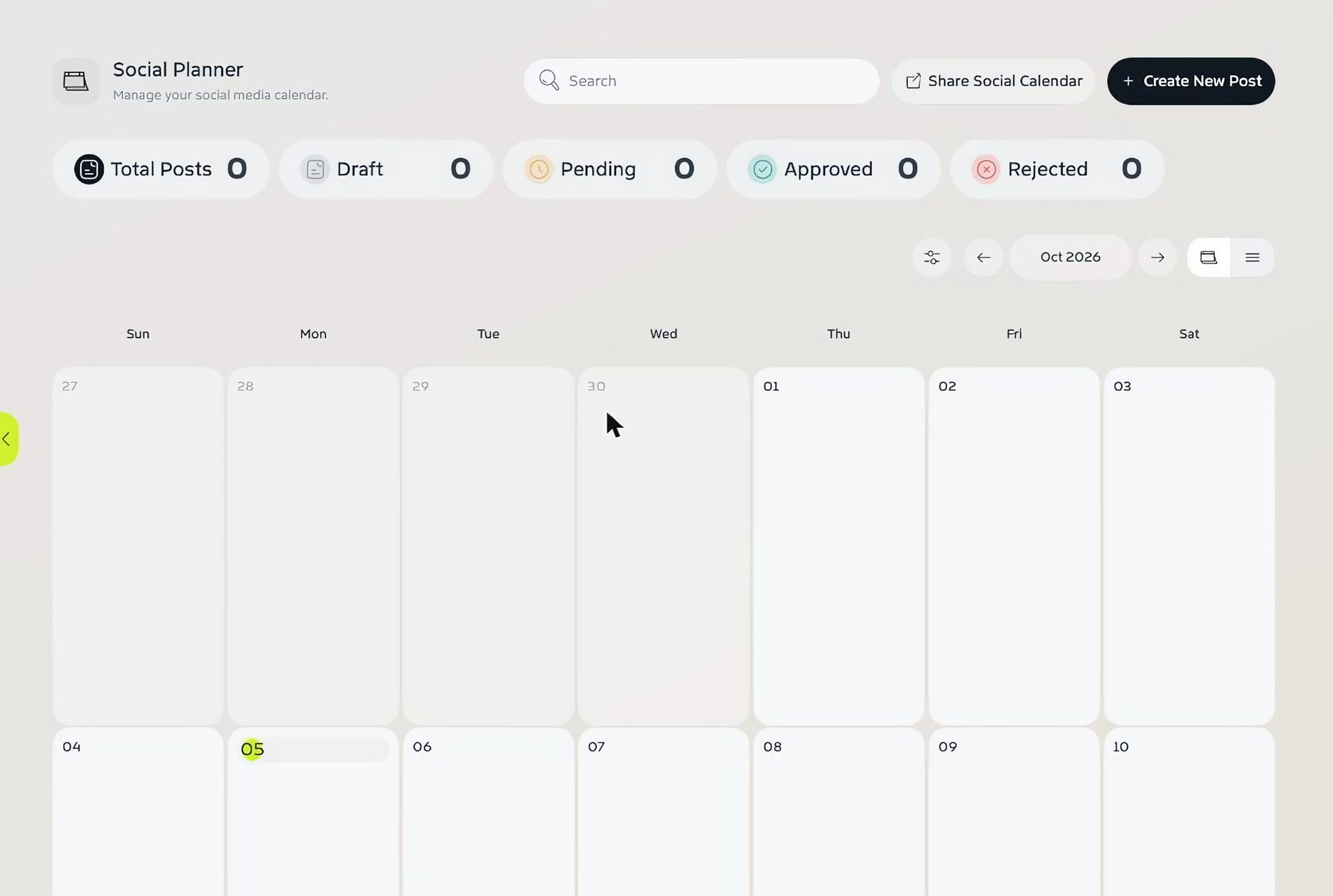
In a project, choose Social Planner in the left-hand menu. Posts are laid out on a monthly calendar, with a count of Total Posts, Draft, Pending, Approved and Rejected posts at the top. Use the arrows to change month, and the icons on the right to switch between calendar and list views.
Create a post
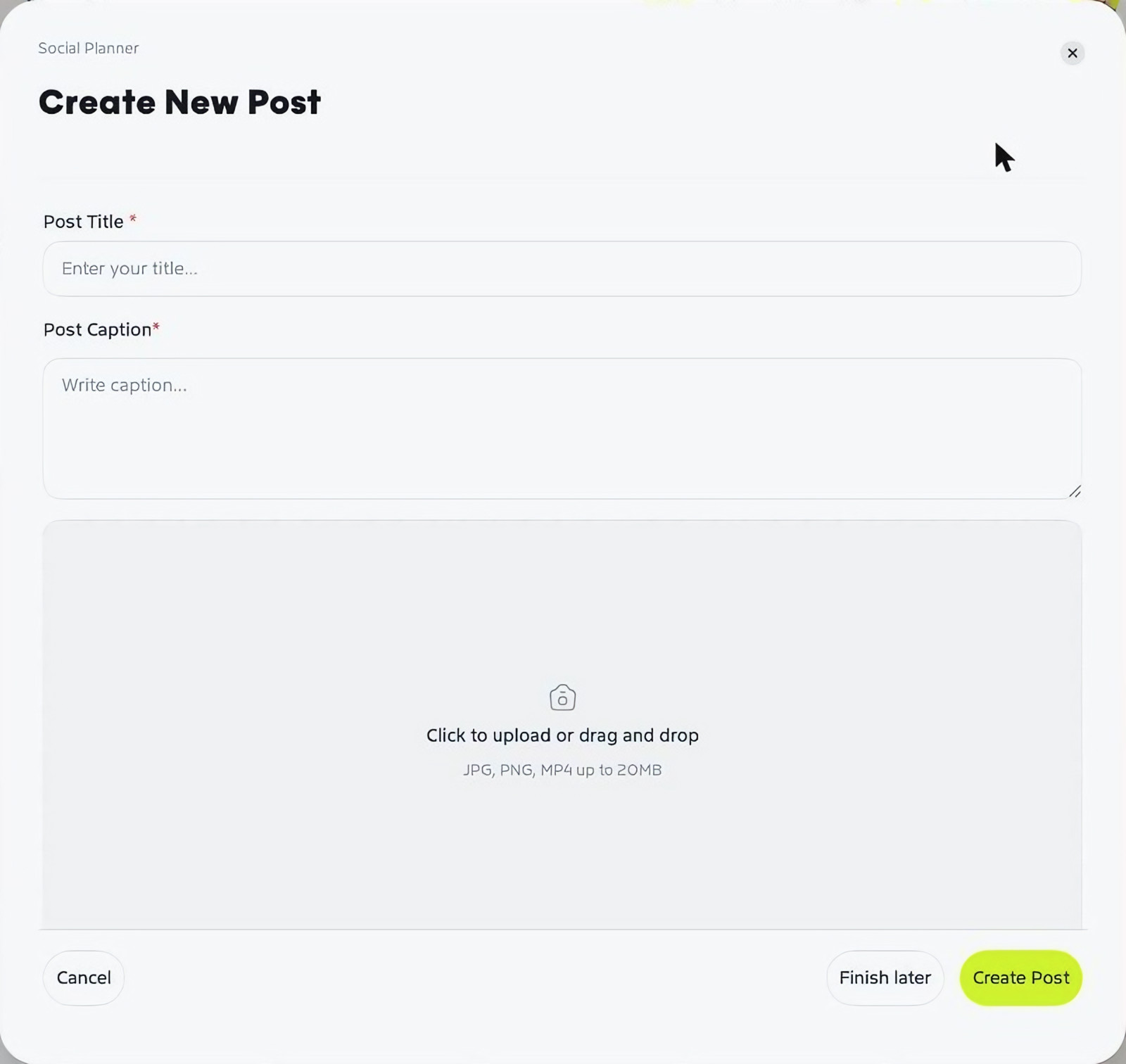
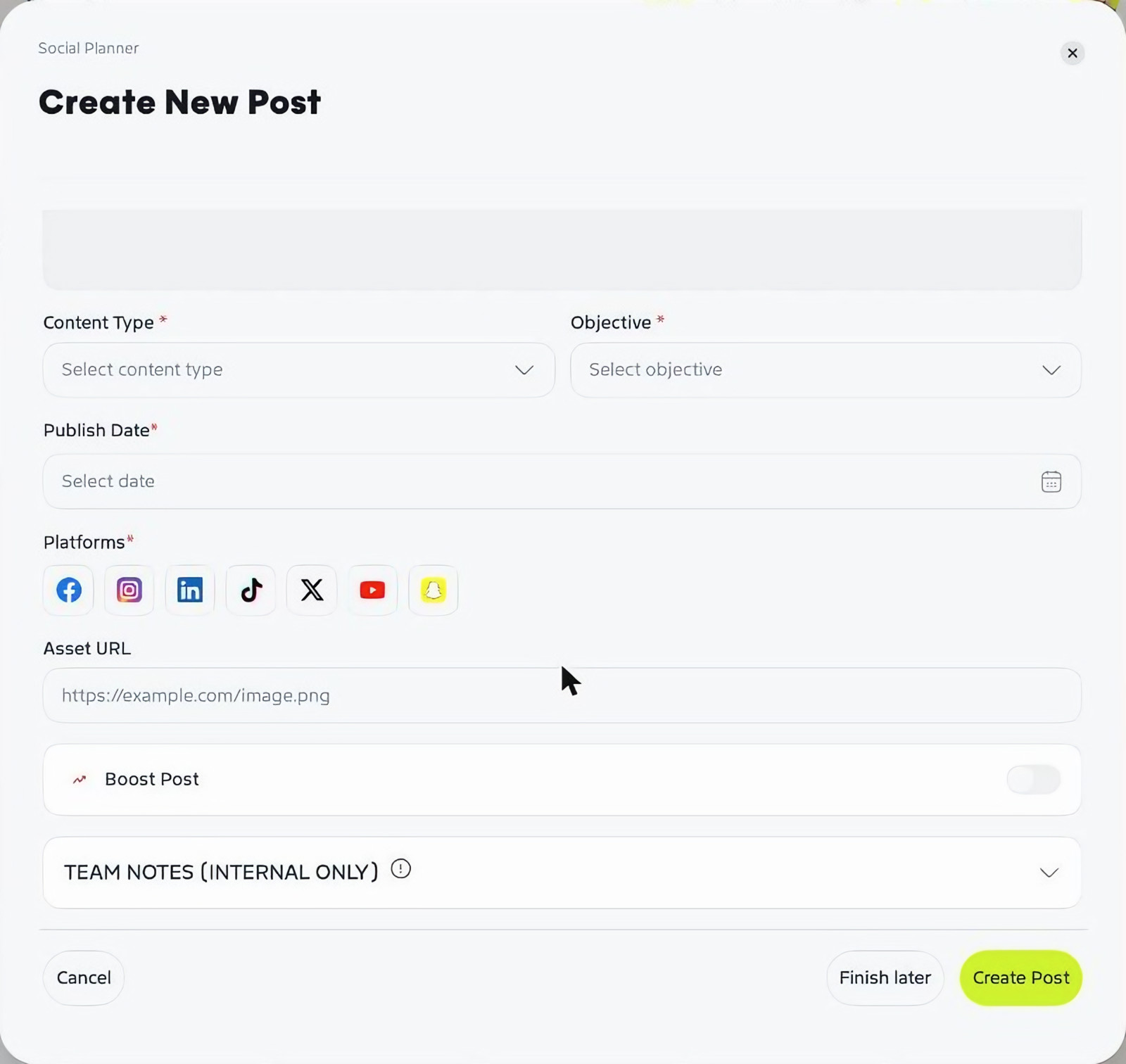
Click Create New Post and fill in:
- Post Title and Post Caption
- An image or video – click to upload or drag and drop (JPG, PNG or MP4 up to 20MB)
- Content Type – Image or Video
- Objective – Awareness, Community, Custom, Education, Engagement or Promotion
- Publish Date
- Platforms – Facebook, Instagram, LinkedIn, TikTok, X, YouTube and Snapchat
- Asset URL, if the file lives somewhere else
- Boost Post, if you plan to put spend behind it
- Team Notes – notes for your team only
Click Create Post, or Finish later to come back to it.
Share the calendar
Click Share Social Calendar to share your plan outside Graysync, for example with your client, and track each post as it moves through Draft, Pending, Approved or Rejected.