

Set up services with predefined tasks
Why services matter
Services are the building blocks of your scopes and projects. When you add a service to a scope, Graysync uses its price. When the service is used in a project, its predefined tasks are added for you.
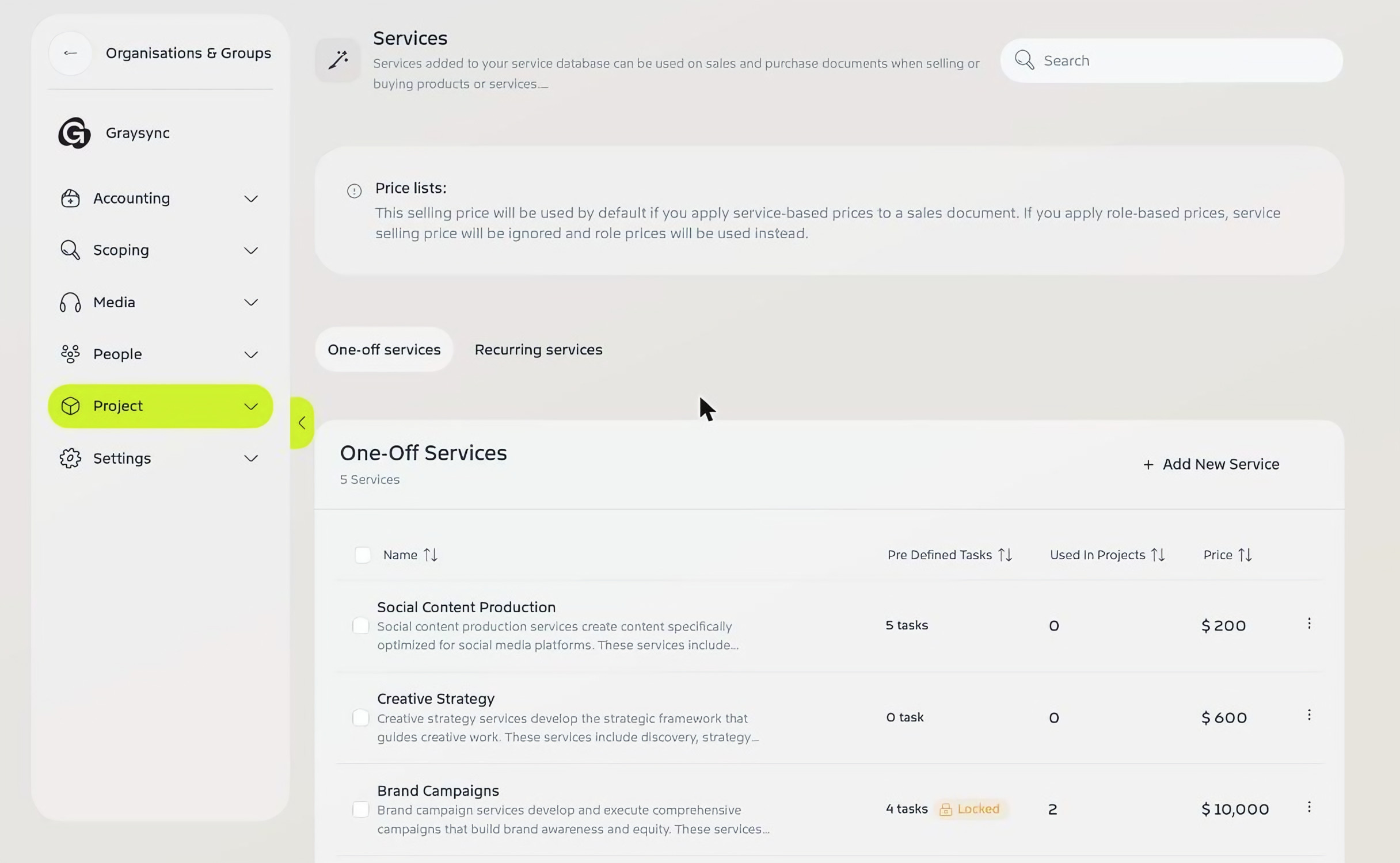
Go to Admin Console → Project → Services. Switch between One-off services and Recurring services. Each service shows its predefined tasks, how many projects use it and its price. A Locked label means its task list is locked.
Add or edit a service
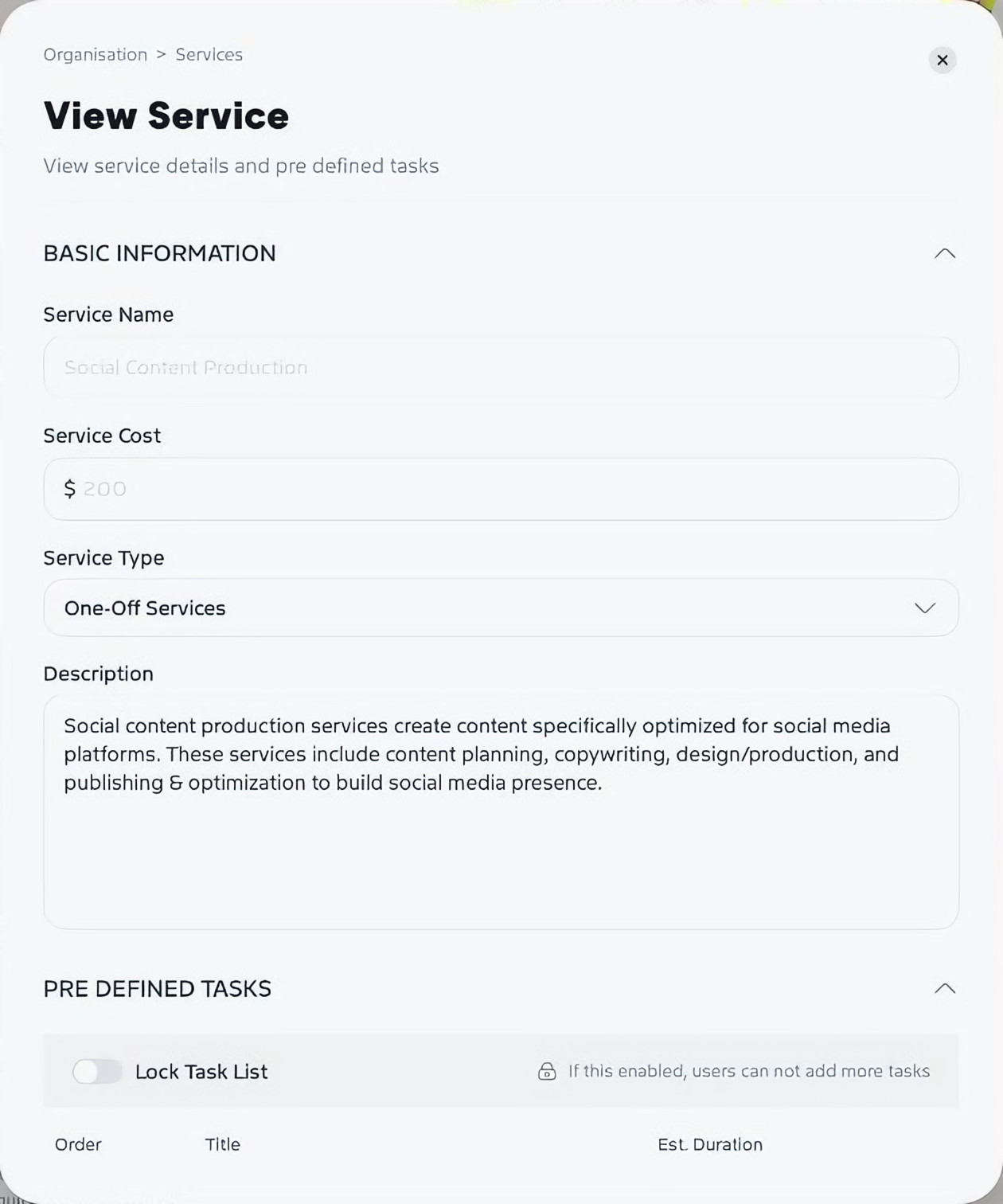
Click Add New Service, or open an existing service and click Edit. Enter the Service Name, Service Cost, Service Type and a Description.
Add predefined tasks
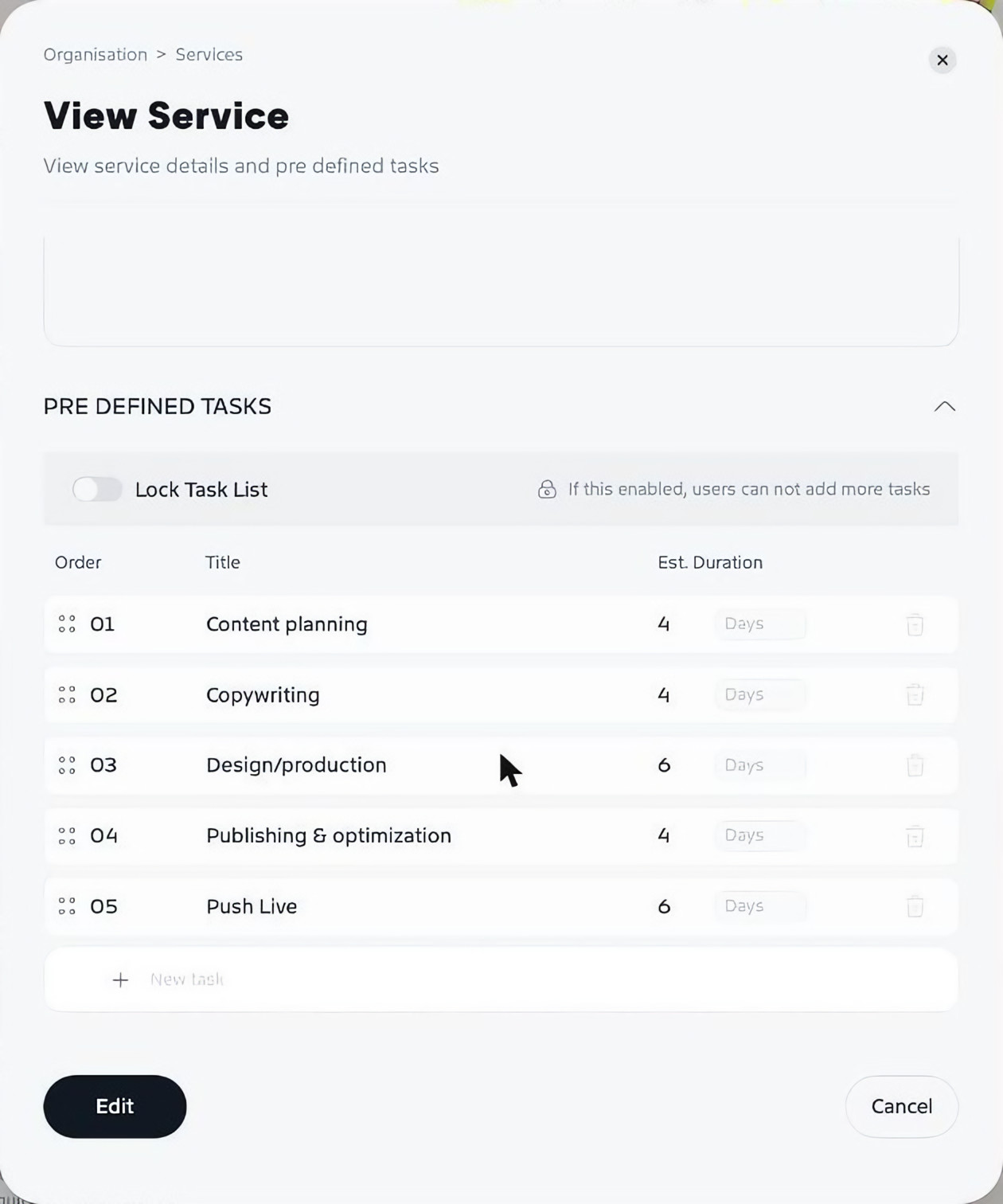
- Under Pre Defined Tasks, click New task and enter a title.
- Set an estimated duration in hours, days, weeks, months or years.
- Drag the handles to put the tasks in order.
- Turn on Lock Task List if you don’t want people adding more tasks to this service.
- Save your changes.
How prices are used
A service’s price is the default selling price when a scope uses service-based pricing. If you use role-based prices instead, role prices are used and the service price is ignored. See Scope a project with a quote.